Mercedes Play ID Verification: What Documents You Need
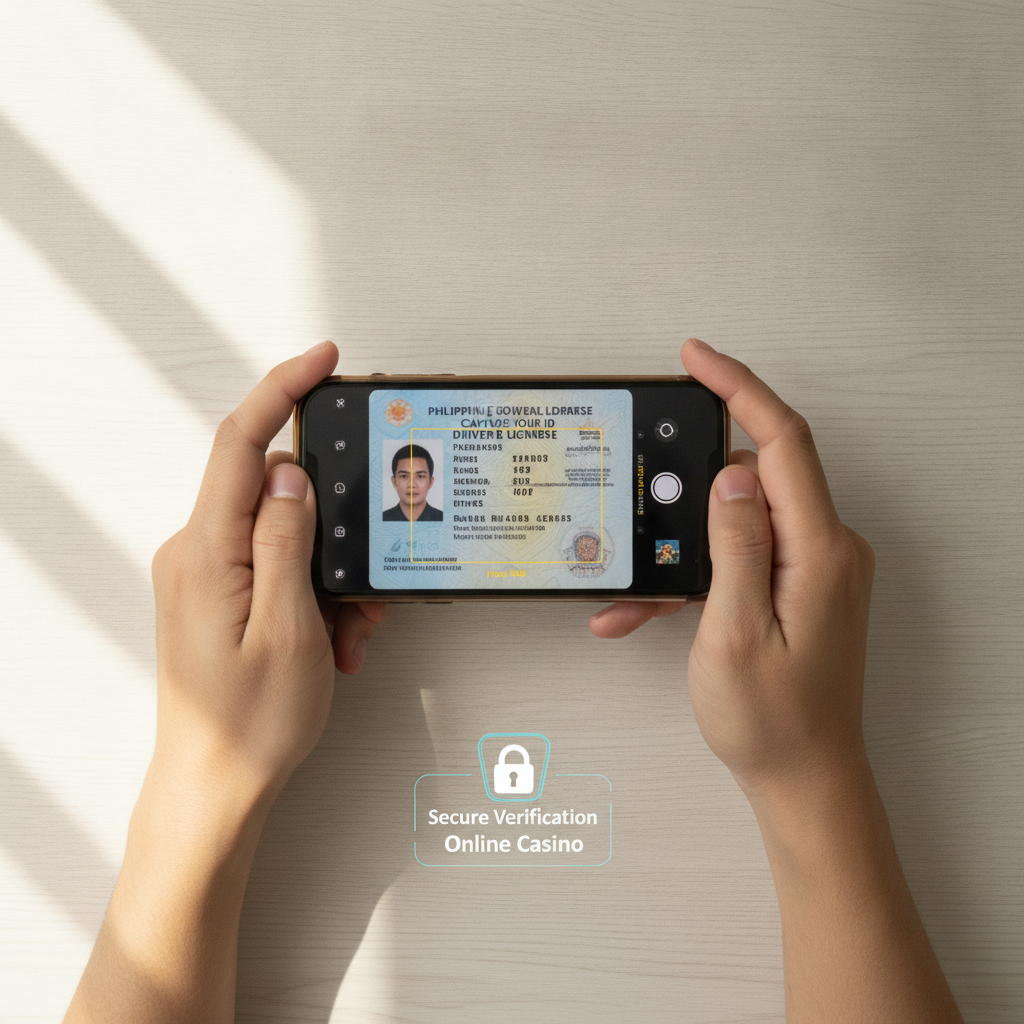
Before you can withdraw your winnings or access all features on Mercedes Play, you'll need to complete ID verification. This guide walks Filipino players through the entire process—what documents the platform accepts, how to take clear photos on your phone, and what to expect while your account is under review.
Why Mercedes Play Requires ID Verification for Filipino Players
Mercedes Play asks every player to verify their identity for three main reasons: to confirm you're at least 21 years old, to prevent fraud and money laundering, and to comply with anti-money laundering regulations that apply to online gaming platforms operating in the Philippines.
When you first register on Mercedes Play, you can browse games and place small bets. But once you try to make your first withdrawal—or sometimes after your first deposit—the platform will prompt you to upload a valid government-issued ID. Until verification is complete, your account will have limited functionality.
This process is standard across licensed and legitimate online casinos in the Philippines. It protects both the operator and the player by ensuring every account belongs to a real person who meets the legal age requirement.
Accepted Government IDs for Mercedes Play Verification
Mercedes Play accepts several forms of government-issued identification commonly used in the Philippines. Your ID must show your full name, date of birth, photo, and ID number. It should be current and not expired.
Passport – A Philippine passport is one of the most widely accepted IDs. Make sure the data page (the one with your photo and personal details) is clearly visible in your upload.
Driver's License – A valid driver's license issued by the Land Transportation Office (LTO) works for verification. Both the plastic card and the older paper licenses are accepted, as long as the document has not expired.
Unified Multi-Purpose ID (UMID) – Issued by the Social Security System (SSS), the UMID is a popular choice because it's small, durable, and most Filipinos who work in the formal sector already have one.
Postal ID – A Postal ID from the Philippine Postal Corporation is also accepted. Postal IDs are easy to obtain in major cities and provinces, making them a common backup option.
National ID (PhilSys) – If you have the new Philippine Identification System (PhilSys) national ID, it is accepted by most platforms, including Mercedes Play. This is gradually becoming the standard ID for all government and private transactions.
Mercedes Play does not accept school IDs, company IDs, barangay certificates, or any form of identification that is not government-issued. Photocopies, scanned images from a scanner, or heavily edited photos are also typically rejected.
How to Upload Clear Photos of Your ID from Your Phone
Most Filipino players access Mercedes Play on a mobile device, so the platform is designed to let you take and upload ID photos directly from your smartphone. Follow these steps to ensure your upload is approved on the first try.
Find good lighting – Take your photo in a well-lit room or outdoors in natural light. Avoid dim lighting, shadows, or reflections from overhead bulbs. If you're indoors, stand near a window during the day.
Place your ID on a flat, dark surface – Lay your ID on a table or hold it against a plain, dark background—like a black shirt or a dark-colored notebook. This creates contrast and makes the text and photo on your ID easier to read.
Hold your phone steady – Position your phone directly above or in front of the ID. Keep it level and avoid tilting the camera at an angle. Hold still for a moment before tapping the shutter button to reduce blur.
Capture all four corners – Make sure your entire ID is visible in the frame. Don't crop out the edges or let part of the ID fall outside the photo. Mercedes Play's system may reject images where the ID is partially cut off.
Check for clarity before uploading – Zoom in on the photo after you take it. Can you read your name, date of birth, and ID number clearly? If the text looks blurry or the photo is washed out, delete it and try again.
Upload in the correct format – Mercedes Play accepts JPEG and PNG files. Most smartphone cameras save photos in one of these formats by default. Avoid using PDF files or screenshots of your ID, as these can reduce image quality.
Log in to your Mercedes Play account, go to the account settings or profile section, and look for a button or link labeled "Verify Identity" or "Upload ID." Tap it, choose the photo from your phone's gallery, and submit. Some players are also asked to upload a selfie holding their ID next to their face—this is called a "liveness check" and helps confirm you're the person on the ID.
How Long Verification Usually Takes and What to Expect
After you submit your ID, Mercedes Play's verification team will review your documents. In most cases, this process takes 24 to 72 hours. During busy periods—like weekends, holidays, or when there's a major sports event—it may take a bit longer.
You'll receive an email or in-app notification once your account has been verified. If your ID is approved, you can immediately proceed to withdraw funds, increase deposit limits, or unlock other account features that were previously restricted.
If your upload is rejected, Mercedes Play will usually tell you why. Common reasons include:
- Blurry or low-resolution photo – The text on your ID is not readable.
- Expired ID – Your document is past its validity date.
- Partial ID visible – One or more corners of the ID are cut off in the photo.
- Mismatch in personal details – The name or birthdate on your ID doesn't match what you entered during registration.
- Reflection or glare – Light bouncing off the plastic makes part of the ID unreadable.
If your first attempt is rejected, correct the issue and resubmit. There's no penalty for uploading multiple times, and the support team can offer guidance if you're unsure why your document was declined.
While your verification is pending, you can still log in, browse games, and in some cases place bets. However, you will not be able to request a withdrawal until your identity is confirmed.
What Happens After Your ID Is Verified
Once Mercedes Play approves your documents, your account will be fully activated. You can deposit and withdraw funds using GCash, Maya, InstaPay, or PESONet without additional identity checks—unless the platform flags unusual activity or you request a large withdrawal that triggers a secondary review.
Keep your registered name consistent across your Mercedes Play account, your e-wallet, and your bank account. Mismatched names can cause delays or rejections when you try to cash out. If your legal name on your ID is "Maria Santos," use that same name when you register your GCash account and your Mercedes Play profile.
Your uploaded documents are stored securely and used only for verification purposes. Mercedes Play does not share your ID with third parties outside of what's required by law or necessary for payment processing.
21+ Age Requirement and Responsible Gambling Reminder
Mercedes Play is available only to players who are 21 years of age or older. During the ID verification process, the platform checks your date of birth to confirm you meet this requirement. If your ID shows you're under 21, your account will be suspended or closed.
Online betting—whether on slots, live dealer tables, or PBA and NBA games—should be treated as entertainment, not a way to make money. Set a budget before you play, and never deposit more than you can afford to lose. If you feel your gambling is becoming a problem, reach out to a trusted friend, family member, or a local support service.
Mercedes Play offers account tools such as deposit limits and self-exclusion options. Use these features if you need a break or want to control your spending. Responsible gambling keeps the experience fun and sustainable over the long term.
Ready to get verified? Log in to your Mercedes Play account, head to the profile or account settings section, and upload a clear photo of your government-issued ID. Once approved, you'll have full access to deposits, withdrawals, and all the games and betting markets the platform has to offer.